- Home Page /
- Electronics /
- Computer Accessories /
- Networking Products /
- Print Servers /
- Lantronix xPrintServer Office Edition XPS1002...
0 ratings

Item #:
3446119
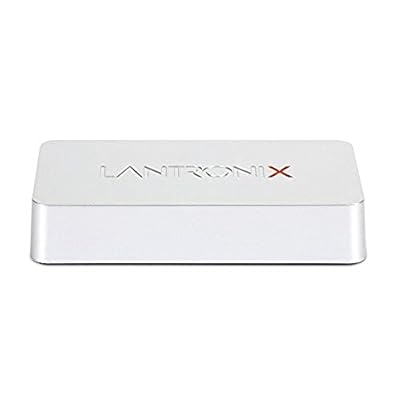
Lantronix xPrintServer Office Edition XPS1002FC-02-S
Item #:
3446119
UZS 2602442
Price Details
Excluding Shipping & Custom charges ( Shipping and custom charges will be calculated on checkout )
*All items will import from US
0 ratings
Write a review
In stock
 Imported from USA store
QTY:
Order now and get it around Monday, July 20
Secured transaction
Ubuy works hard to protect your security and privacy. Our advanced payment security system ensures confidentiality by encrypting your information during transmission using AES (Advanced Encryption Standards) and SSL (Secure Socket Layer) protocols. Your payment details are 100% secure as we do not share your payment details with third party sellers.
Our Top Logistics Partners


Print directly from Apple iOS and Google Android smartphones and tablets

Fast
Shipping

Free
Return*

Secure Packaging

100% Original Products

PCI DSS Compliance

ISO 27001 Certified


Note: Step Down Voltage Transformer required for using electronics products of US store (110-120). Recommended power converters Buy Now.


What Stands Out
Universal Compatibility
Easily connects to any printer, making it ideal for mixed environments. No need for specific drivers, ensuring seamless printing from any device in your office setup.
Wireless Printing
Eliminates messy cables with robust wireless connectivity. Print from mobile devices and laptops effortlessly, enhancing productivity without compromising on mobility.
User-Friendly Setup
Quick and intuitive installation process saves time. Simple configuration allows users to get started immediately, minimizing downtime and maximizing efficiency in a busy office environment.
Product Details
- Wirelessly print from Apple iOS and Google Android devices
- Supports Apple Air Print and Google Cloud Print
- No need to download separate apps or pay for client/device licenses
- Compatible with both wired and wireless printers
- Easy printer management and configuration via web browser
- Enables printing from unlimited mobile devices to multiple printers
| Item Weight | 2 lbs (910 grams) |
Who Should Buy?

-
Small Offices
Ideal for small office setups that require seamless print sharing across multiple iOS devices without complex configurations.
-
Remote Workers
Comes in handy for remote employees needing quick mobile printing solutions without access to traditional print servers.
-
Mobile Professionals
Perfect for professionals on the go who often need to print documents from their smartphones or tablets easily.

-
Large Enterprises
May not scale effectively for large organizations with extensive IT infrastructures or high-volume printing needs.
-
Non-Apple Users
Not suitable for users mainly relying on Windows or Android devices, as features are optimized for Apple products.
-
Minimal Technology Savvy
Users with limited tech skills might find setup and configuration challenging, despite its user-friendly features.
Product Description
Lantronix xPrintServer Office Edition XPS1002FC-02-S
Have any Query? Chat with us
Customer Questions & Answers
-
Question:
What is the purpose of the Lantronix xPrintServer Office Edition XPS1002FC-02-S?
Answer: The Lantronix xPrintServer Office Edition XPS1002FC-02-S is designed to simplify the process of printing from mobile devices and laptops by enabling wireless printing to networked printers. It converts various printers into AirPrint-enabled devices, allowing users to print directly from iOS devices without needing additional drivers. This makes it ideal for offices or shared environments where multiple users need quick access to printing facilities. -
Question:
How does the xPrintServer integrate with existing printers?
Answer: The xPrintServer connects to your existing printers through USB or network connections, transforming them into wireless printers compatible with Apple AirPrint technology. Setup is straightforward; you just connect the device to your network and printers, and it automatically detects compatible models. This allows your team to print from their mobile devices seamlessly, boosting productivity and reducing the hassle of traditional driver installations. -
Question:
Can I use the xPrintServer with non-AirPrint enabled printers?
Answer: Yes, the xPrintServer Office Edition is specifically engineered to work with printers that do not have built-in AirPrint capability. By connecting these printers to the xPrintServer, users can unlock mobile printing features without needing to invest in new hardware. This is particularly beneficial for businesses looking to maximize their existing printer assets while embracing modern printing solutions. -
Question:
What types of documents can I print with the xPrintServer?
Answer: You can print a wide range of document types including PDFs, photos, and Microsoft Office documents using the xPrintServer. Since it supports standard file formats sent through AirPrint, users can print anything from presentations to image files directly from their mobile devices or computers. This versatility makes it suitable for various professional needs such as reports, marketing materials, and personal documents. -
Question:
Is there a limit to the number of users that can use the xPrintServer?
Answer: The xPrintServer Office Edition XPS1002FC-02-S can accommodate multiple users simultaneously, making it an effective solution for busy office environments. There’s no strict cap on the number of devices that can connect, although network conditions may influence performance. This allows teams to efficiently share printing resources without experiencing delays, enhancing collaboration in shared workspaces. -
Question:
What setup is required for the xPrintServer?
Answer: Setting up the xPrintServer is straightforward. Users need to connect it to their network via Ethernet and link their printers using USB or network cables. Once this is done, the device automatically detects compatible printers and is ready for use. Ideal for both small and large workspaces, it requires minimal technical skills for setup, allowing teams to focus on their work rather than tech issues. -
Question:
Can I print from my Android device using the xPrintServer?
Answer: While the xPrintServer is primarily designed for Apple AirPrint, users can also print from Android devices using compatible apps. Various third-party cloud printing services available on Android can connect to the xPrintServer, enabling you to send print jobs from your devices. This flexibility allows diverse access to printing solutions across different platforms, making it a versatile addition to any office. -
Question:
What are the main features of the xPrintServer?
Answer: The Lantronix xPrintServer Office Edition XPS1002FC-02-S is equipped with features tailored for efficiency, including support for multiple printers, a simple user interface, and automatic printer detection. It also includes network settings and configuration options that can be managed easily by administrators. These features ensure that even in dynamic office settings, users can print without interruption while maintaining control over print resources. -
Question:
Is the xPrintServer compatible with different printer brands?
Answer: Yes, the xPrintServer is compatible with a wide range of printer brands such as HP, Canon, Epson, and Brother, among others. This broad compatibility ensures that businesses can utilize their existing printer infrastructure without the need for specific brand investments. It allows organizations to deliver efficient printing services while keeping costs down, providing a practical solution for diverse printing environments. -
Question:
Where can I buy the Lantronix xPrintServer Office Edition XPS1002FC-02-S?
Answer: You can purchase the Lantronix xPrintServer Office Edition XPS1002FC-02-S conveniently at Ubuy, which offers a reliable platform for acquiring various tech products. Ubuy provides a user-friendly shopping experience in Uzbekistan, making it simple to find and order your desired devices. With competitive options and assistance in exploring features, Ubuy is your go-to choice for acquiring this printing solution.
Lantronix Print Servers Editorial Review
The Lantronix xPrintServer Office Edition (XPS1002FC-02-S) is a discrete solution for users looking to enable AirPrint functionality on their printers, particularly in environments that feature both iOS and Android devices. Overall, customer reception of this product has been mixed, reflecting both its utility and its limitations. Many users commend its ease of setup, typically reported to take around five minutes, and its ability to facilitate printing from iPads and iPhones effectively. This capability fulfills the expectations laid out by Apple’s AirPrint, allowing users to print easily without navigating through complicated apps or setups. However, this commendation is heavily caveated by the critical need to verify printer compatibility via the manufacturer's website before purchase. Several reviews highlight that while some modern and older printers may work, many of their newer devices were rendered incompatible. Customer support from Lantronix has received praise for its promptness; however, the feedback also underscores a definitive lack of ongoing support for additional printers thus diminishing the product's long-term value. Users have expressed their disappointment with the limited list of compatible printers, indicating they feel trapped with legacy devices that may no longer meet their needs. Moreover, some customers noted that even when printers are recognized by the network, the actual installation isn’t automatic, leading to additional technical complexities. Performance-wise, while users noted satisfactory speeds under certain conditions, many shared frustrations concerning slow print processing times. Some users reported waits of several minutes or longer for print jobs, which detracted from the overall user experience. This issue persisted despite efforts to optimize settings or reach out for troubleshooting assistance. Despite the frustrations regarding compatibility and speed, for those with compatible printers, the xPrintServer can be a functional solution, especially in mixed-device office environments. **
Customer Reviews & Ratings
1 customers ratings
-
5 Star
100%
-
4 Star
0%
-
3 Star
0%
-
2 Star
0%
-
1 Star
0%
Review this product
Share your thoughts with other customers
Pros
- Easy setup process.
- Enables AirPrint on a variety of devices, facilitating cross-platform printing (iOS and Android).
- Excellent for office use with good customization capabilities.
- Relative ease of installing drivers for some unsupported printers, though requiring technical knowledge.
Cons
- Limited list of compatible printers, requiring thorough pre-purchase verification.
Product Price History
Important information
- Limitations : For products shipped internationally, please note that any manufacturer warranty may not be valid; manufacturer service options may not be available; product manuals, instructions, and safety warnings may not be in destination country languages; the products (and accompanying materials) may not be designed in accordance with destination country standards, specifications, and labeling requirements; and the products may not conform to destination country voltage and other electrical standards (requiring use of an adapter or converter if appropriate). The recipient is responsible for assuring that the product can be lawfully imported to the destination country. When ordering from Ubuy or its affiliates, the recipient is the importer of record and must comply with all laws and regulations of the destination country.
- Not all the products listed on Ubuy are for sale, as Ubuy is a global search engine. Products are subject to export/trade regulations.
UZS 2602442
Order now and get it around Monday, July 20
This item is not restrict in my country.(Please click on above link if this item is not restrict in your country, So our team will review and allow.)
QTY:
Secured transaction
Ubuy works hard to protect your security and privacy. Our advanced payment security system ensures confidentiality by encrypting your information during transmission using AES (Advanced Encryption Standards) and SSL (Secure Socket Layer) protocols. Your payment details are 100% secure as we do not share your payment details with third party sellers.
Our Top Logistics Partners
Fastest cross-border delivery
Features & Benefits
- Enables direct printing from iOS and Android devices
- No need for manual setup of printers
- Supports wireless printing from unlimited mobile devices
- Includes enterprise features
- Allows printing from Chromebooks and PCs
- No licensing fees for iOS/Android clients/devices